My VPS und Docker Setup
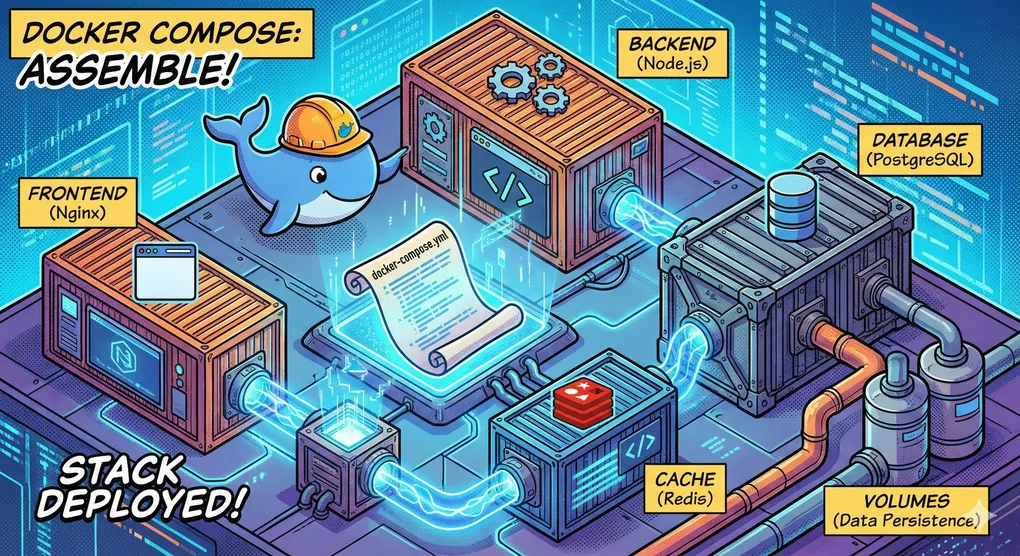
In this post, I show you what my current server setup looks like. I rely on a lean Virtual Private Server (VPS), Docker containers, and a lot of automation.
My VPS
My server is hosted at Strato. I deliberately chose a smaller package because it is completely sufficient for my purposes. All applications run isolated as Docker containers, orchestrated via Docker Compose.
he server has the following specifications:
- CPU: 2 Cores
- RAM: 4 GB
- Speicher: 120 GB
- OS: Ubuntu
Infrastructure & Security
nginx
The most important service in my setup is nginx. It runs in an extremely lightweight Alpine Linux container and consumes hardly any resources.
The nginx acts as a reverse proxy and is the only “gateway” that is publicly facing the internet. It accepts requests and forwards them internally to the appropriate container. This increases security enormously, as no other service is directly exposed to the internet.
Certbot
For connection security (SSL/TLS), I use Certbot. This container does not run permanently but is configured to save resources: A GitHub Action wakes up Certbot every night. It checks if certificates are expiring, renews them automatically if necessary, and then shuts itself down again.
My Website: Astro
Astro is the framework behind domzei.dev. I decided against heavyweights like WordPress or Contentful. Astro allows me to simply write blog posts as Markdown files.
The system renders static HTML during the build process, which is then served by a dedicated web server. The result: Maximum performance and no loading times.
Privacy Note: My site uses no cookies and therefore needs no annoying cookie banner. This makes the site fully GDPR compliant. I do not store any of your personal data.
Self-Hosted Tools
Trilium
Trilium is my modern “brain”. I self-host this notebook and access it via Mac app or browser. Every night, a GitHub Action backs up my notes, stores them in a private GitHub repository, and retains versions for 7 days.
Portainer
With Portainer, I manage my Docker environment conveniently via a graphical interface in the browser. This saves me the trip via the SSH terminal for everyday tasks (like container restarts or log checks).
Monitoring & Analytics
Uptime Kuma
Uptime Kuma monitors around the clock whether my services are accessible. If a container fails, I am immediately alerted by email. You can view the current status anytime here.
Dozzle
Dozzle is my central log viewer. It aggregates the logs of all running Docker containers in a real-time web interface. This makes troubleshooting extremely easy without having to log into the server.
Umami
Umami is my privacy-friendly alternative to Google Analytics. For this, two containers are running: one for the app and one for the PostgreSQL database. A small script in the head of the website collects anonymous usage data (e.g., which pages are popular).
Important: Umami tracks without cookies and does not store IP addresses.
Automation
I am a fan of “Infrastructure as Code”. I configure nothing manually by hand, but let GitHub Actions do the work.
My Workflows:
- Deploy to VPS: Starts automatically on changes to the main branch. The Action connects to the server and updates the Docker containers.
- Deploy Astro Blog: Builds my website from the Markdown files, creates a package, and triggers deployment on the VPS.
- Renew SSL Certificates: Starts Certbot and checks at night (03:15 AM) if certificates need to be updated.
- Create Backup: Backs up my Trilium notes to a private repo at night (04:15 AM).
The Repositories
Everything I have described here is organized in two GitHub repositories:
- Config-Repo: Contains the docker-compose.yml (the blueprint for all services), Nginx configurations, and the GitHub Actions workflows.
- Website-Repo: Contains the source code and Markdown content for this blog.